Running Meego Handset in an N900 chroot with Easy Debian: Part 2
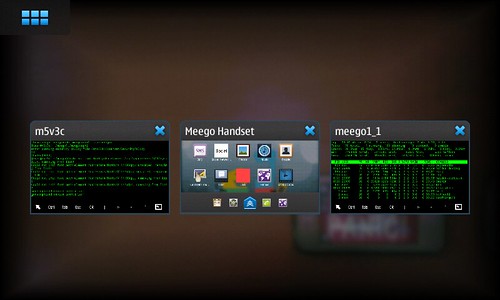
In this post, I show you how to start the Meego Handset 1.1 "desktop" in a Maemo chroot, using Easy Debian and the image file you made using instructions in the last post.

DISCLAIMERS:
This is a very shaky process. It is in no way ready for use in any way other than "Oh that's cool!"
The animations on the desktop are very slow, and
The Prerequisites:
- You have a working install of Easy Debian on your N900, and you can start the LXDE desktop in a window.
- You have made the image from the last post, and you have put it in your /home/user/MyDocs folder.
Quickstart:
I have written four little scripts that semi-automate the process of starting the Meego UI. You can download the zip file containing the four (updated!) scripts here at qole.org. You must put these scripts in the /home/user/meego directory, or edit the scripts to look in another directory.
Put the scripts in the MyDocs folder of your N900 (that's where they'll download if you just choose the root "N900" folder when downloading from the N900), and then, at the Maemo terminal prompt on your N900:
~ $ tar xzvf MyDocs/meegoscripts.tgz
Then:
~ $ cd meego
~/meego $ ./debmee
Hopefully, that's all you have to do to get the Meego 1.1 desktop to start up on your N900. Read on for more details of what's going on "under the hood."
Read more »
Labels: chroot, easy debian, install, maemo, meego, n900, setup, xephyr
posted by Qole Pejorian @ 11:57 am
14 comments

