Monday, May 06, 2013

Three Things That Health Care IT Can Learn From Open Source

Why I care

I have been involved in the open source world for several years as a hobbyist. But in my paid work, I have spent the last year immersed in the development of a health care system that is trying to comply with standards and be interoperable. Along the way, I’ve noticed several things that I feel that health care IT is not doing as well as it could. Health care is an important, even central part of our lives, and it seems to me that making health care IT as good as it can be should be a priority.

Here are three open source principles that I think would make health care IT better.

1.    Don’t fork; push it upstream

Terms like “forking” and “upstream” are fairly common in the open source world. The origin of a project, the original developer or development team, is considered to be “upstream” of everyone who uses that project in their own projects. When someone wants to modify a project for their own uses, they are generally encouraged to try to “push the changes upstream,” that is, try to get the original developer to add the changes to the original project, so that everyone can have them. The other option, “forking,” is generally discouraged. If you fork a project, you are taking it, modifying it for your own use, and then keeping the changed version as a separate project. This means that any changes are kept away from the upstream project, and if changes are made upstream, they are not likely to be incorporated into the fork. Forking usually happens when there are problems between the upstream project and a downstream developer, or if the upstream project has become inactive.
In health care IT, forking seems to be the norm. There is a general feeling that the upstream projects are not responsive to input and are very slow to change or improve, and so developers tend to make local changes to the standards rather than improving the standards themselves. This isn’t limited to individual companies, either. There tends to be regional and national versions of the standards that are full of changes that should have been pushed upstream. These changes have little or no relation to region-specific situations; rather, they tend to be local workarounds to limitations discovered in the upstream standards. Others create competing standards that claim to fix problems with the current standards, and then lobby the standards bodies to adopt their standards instead.
Healthcare IT could greatly benefit from the open source model of pushing changes upstream instead of forking.

2.    Build a stack; use modules and plugins

Perhaps because it grew out of the Unix world, open source is all about building a solution from many small pieces that are stacked and plugged together, rather than trying to build a monolithic solution that encompasses every use case. This is analogous to using interchangeable, snap-together pieces to build a toy, rather than making a single, proprietary mold for each toy. The modular approach allows a great deal of flexibility and allows many different use cases to share a great deal of common code. Also, upstream changes are much easier to implement, as they tend to affect only the users of a particular module, rather than affecting all users of the project.
Health care IT tends to rely heavily on global, proprietary systems and standards. The system or standard is expected to encompass all use cases, and single vendors or standards are expected to manage the whole system. There is very little use of modularity in health care IT. This contributes to the first problem (forking), because any change affects the whole system, rather than a small piece of the system. So if a particular use-case is not included in the existing system or standard, a whole new version of the system or standard needs to be created to handle the new use case, rather than creating a new module to “plug in” to the existing system.

3.    Share your work

One of the fundamental principles of open source, perhaps the most important principle, is the belief that developers should share their code. From the licenses that require users of the code to keep it open, to the open repositories where the code is stored, open source developers passionately believe that code should be free, and open, shared code benefits everyone in the end.
Historically, health care IT has been very reluctant to open up their systems and their standards. Often using patient privacy as an excuse, vendors have charged high prices for “interfaces” that expose small pieces of their data to other systems. Standards bodies have put their standards behind paywalls and have made it clear that users of these standards need to pay to license the technology. Because health care systems and standards tend to be monolithic rather than modular, vendors can control the entire system, and demand high prices for any changes.


Going Forward

Large, profitable companies, like Samsung or IBM, that have begun participating in open source have discovered that following open source practices, like pushing upstream, building modularly, and sharing their work may not be the obvious way to be profitable, but it quickly becomes evident that open standards and systems benefit the entire industry, which in turn benefits the individual vendors. Open standards and systems encourage competition and innovation, which in turn improve the quality of all the systems and standards. This is the kind of upward spiral that health care desperately needs.
The ship of health care IT is big, bulky, and hard to turn, but I believe it desperately needs to change course. If the industry cannot change course, the alternative is frightening. There are many icebergs looming in the dark.

Labels: , , , ,

Sunday, March 06, 2011

Making the WRN3500L into a Print Server

The Netgear WRN3500L came to my notice very recently when a local store had it on sale for the same price as the venerable Linksys WRT54GL, my go-to router for stable-as-a-rock installs for many years. The WRN3500L is also a Linux router, but it has all sorts of cool extras; Wireless N, gigabit Ethernet, and coolest of all, a USB port! Sadly, the supplied firmware didn't have any print server capabilities, and I really wanted that feature.

So, I've managed to turn my Netgear WRN3500L router into a print server (while still keeping it as a nice router). I did so using the standard DD-WRT build and an extra package that I downloaded using ipkg, the package-manager for OpenWrt and DD-WRT.

I used the following resources:

myopenrouter.com
The DD-WRT router database and wiki

Read on for my detailed instructions on doing it yourself. And feel free to comment if you have found things I should add or change.

Read more »

Labels: , , , , , , ,

Friday, March 27, 2009

Easy Chroot for Maemo

I'm going to start this post with a defence of my pronunciation of "chroot" as a single word, not "c-h-root" or whatever. I believe it should be pronounced this way for three reasons:
  1. Unix/Linux commands and computer acronyms are commonly pronounced as words. "grep", which is a contraction of the g/re/p command, is pronounced as a word, as are many even less plausible acronyms. Try saying "s-c-s-i" instead of "scuzzy" in a computer lab and be prepared for the derisive laughter.
  2. I think the chroot command was intended to reference the cheroot, a kind of inexpensive cigar also known as a stogie.
  3. It is much easier to say. Why would you make work for yourself by saying a one-syllable word as two or three syllables?
The rest of this post is a more in-depth technical discussion of my easy-chroot package, targeted at developers, those wishing to easily mount partitions and image files, and those wishing to try out new linux distributions and environments with a minimum of hassle (no rebooting, partitioning, etc).


Easy Chroot: Introduction

I have packaged the scripts for the mount-and-chroot system underlying my Easy Debian package into a separate package I call "Easy Chroot". I have also included the drivers (compiled by Matan for me) to do the "turbo loop," which allows a mounted image file to be accessed at nearly the same speed as a partition.

I have created (with lots of help from lots of people) a set of scripts that are very generic, and can be used independently or together to build and run various kinds of "appliances" or OS replacements, without any direct impact on the host OS.

The Scripts

qchroot:

This is the all-in-one core script.

Provide it with an image/partition, a mount point, and a command, and it will do the rest... (But it runs the commands it is given as root inside the chroot, which is often not what you want. See the quserchroot command, below, to run chroot apps as non-root.)

The first parameter is the image file, the second parameter is the mountpoint, and the rest of the parameters are passed to the chroot and run there. There's a lot of magic going on under the surface here, so let's look at what's going on "under the hood."

The qchroot script can be broken into three parts; mount, bind, chroot. The mount portion is handled by qmount below, so we'll look at the binding and chroot portions.
  • Binding: After a partition or image file is mounted, it isn't very useful for the kind of chroot we want here. A basic chroot is sometimes referred to as a "jail", because applications run in the chroot filesystem can't "see" anything outside of this filesystem. This means none of the devices, media, temp directories, nor even the user's home directory can be accessed while "inside" the chroot. That's why a careful use of the "mount -o bind" command is required. It mounts directories from the parent OS in the chroot, too, so applications in the "chroot" can "see" them. Mounting the /dev directory makes most of the devices connected to the system visible, and mounting everything under /media allows the chroot access to SD cards and attached external media such as USB drives. This also allows chroot apps to share the X display and desktop manager, so they appear to be running on the Maemo desktop. The qchroot script also mounts the various temporary directories, so that applications can communicate with applications in the parent OS. This means GTK apps inside the chroot can invoke Maemo's stylus keyboard when a text field is tapped. It also means a chroot app can open an e-mail attachment from Modest.
  • Chroot: This is the primary purpose of all of these scripts, and in the end, it is one of the most simple and straightforward parts. The qchroot script makes sure that exiting the chroot, however that happens, resets things gracefully as possible, but the actual chroot is a simple one line command. It really is the mounting and the binding that make the chroot a workable virtual environment.
userchroot: The userchroot script is only a thin wrapper around qchroot. This script, however, isn't run as root; in fact it will fail unless it is run as non-root. The userchroot script inserts an extra "su user -c" before the commands to be executed inside the chroot. It takes the same parameters as qchroot.

For example, let's say you have an image file on your SD card containing, among other things, OpenOffice.org. You would run the following command (as user, not root) to open a document in oo writer:
userchroot /media/mmc1/ubuntu-ooo.img.ext2 /opt oowriter "/home/user/MyDocs/resume.doc"
Hey! Look at that splash screen! You're starting up OpenOffice Writer!

qmount: This script does some serious heavy lifting. It is called by qchroot to mount the image file or partition. It takes the first two parameters of the scripts mentioned above; the image/partition name and the mountpoint. A lot of my best scripting is in here, and this is also where I needed the most help from outside.

The qmount script checks to see what it is you are trying to mount, and if you are mounting an image file (a file that contains a filesystem, like an ISO file, except it is read/write), it will use the dmlosetup app (thanks Matan!) to mount the image file; this improves read/write speed dramatically, and makes the image file almost as fast as a dedicated partition.

You can use this script to mount an image or partition, if all you want to do is mount it (and not chroot into it). A partition mounted with qmount is not suitable for chroot however.

closechroot: This script is one of the best things about running applications in a chroot. By running this script, you can kill all of the chroot applications in one blow. No hunting around trying to find stray processes. The closechroot script is also very important to run if you want to delete or move the image file that you have mounted, because the dm-loop doesn't "let go" of the image file when you just unmount it.

The closechroot script takes one parameter, the directory where the chroot is mounted. It then kills the chroot applications, unmounts all of the bound directories, and then unmounts the image file or partition that you mounted.

qumount: This is the script that does the unmounting for closechroot. It can be used independently if all you want to do is unmount a partition or image file. Don't use qumount to unmount a fully mounted chroot, however.

synchroot: This script doesn't need to be run very often. It copies several configuration files from the primary system to the chroot, so that the two environments are "synched". This is important for things like time, user permissions, keyboard mapping, and networking. The files that are copied are the following:
  • /etc/hosts
  • /etc/resolv.conf
  • /etc/group
  • /etc/passwd
  • /etc/localtime
  • /usr/share/X11/xkb
The files in the chroot are backed up with a date-based extension, so you can restore your chroot file system if synchroot breaks something.

Some Support Hacks

There are a few extras thrown into the easy-chroot package to make it easier to run non-hildon applications. Here's a quick overview of them.

Movable Dialogs Hack
: Thanks to qwerty12 and Matan, you can set your dialogue boxes to be either movable or static (the default). Movable dialogues are often needed when running desktop applications which can have huge dialogue boxes for settings, etc.

Processor Speed Hack: Thanks to lcuk and others, the /sbin/cpu-ondemand and /sbin/cpu-perform scripts (and associated menu items) set your processor to either "on demand" mode (processor speed drops when cpu is idle) or "performance" mode (processor speed is locked at full speed). Due to very aggressive definitions of "idle" in the Maemo system, the processor often scales back to half speed when it isn't appropriate. This can have a noticeably negative impact on processor intensive applications (like Gimp and OpenOffice, etc). By setting the processor to "performance", you can dramatically speed up many of these big, slow applications.

Host Window Hack: Thanks to Bundyo, this little app (/usr/bin/hostwin) can be used with the Xephyr nested X-server to run a secondary desktop (yes, a complete desktop, like Gnome, or KDE, or anything) as a window on your primary Maemo desktop. See the link above to the ITT thread discussing the program's use.

Installing The Package

easy-chroot can be found in the diablo extras repository. Install with the Application Manager or apt-get install easy-chroot or make it a dependency of your project.

Labels: , , , , , , ,

Tuesday, February 24, 2009

Qole's Notes: Building an Easy Mer / Ubuntu Chroot for the NIT

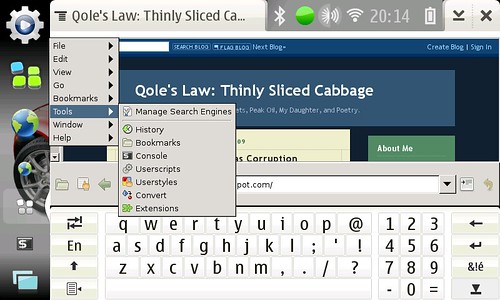
Mer Midori running in OS2008 Diablo via chroot

Why Mer?

I've been wanting to set up an Ubuntu chroot in the style of Easy Debian. I've decided to use the Mer 0.8 rootfs because:
  • Mer is based on Ubuntu Jaunty, which is my current distro of choice, mainly because it has the newest Open Java6 JDK.
  • The Mer developers have clearly been working to slim down the big Ubuntu footprint; consequently, the image is much smaller than a comparable Jaunty image.
  • The Hildon Input Method works automatically with GTK apps; this means the stylus keyboard pops up when I tap an input field in a GTK app.
  • Midori, a great little GTK WebKit-based browser, comes bundled. Not only that, but they've managed to get some Hildonization done by the developer!

Qole's Notes

Here are my notes for customizing the Mer 0.8 rootfs to run in my chroot.

I have the rootfs set up in a partition on my SD card, and I'm using my Easy Debian package to do the actual chroot.

I'm posting these so I can set things up quickly in the future. Hopefully someone else finds something of value here too.

Configuring the Chroot

Some basic configuration needs to be done, right off the bat. First, from the Maemo prompt:

sudo closechroot
touch /home/user/.synchroot


Then, as root inside the chroot:

mkdir -p /home/user
chown user:users /home/user


This will copy some Maemo config files into the chroot and make a home directory for "user".

Default Ubuntu Shell

The shell defaults to "dash" as opposed to "bash". As explained here, this was a decision by the Ubuntu team to improve boot speed. Boot speed is not relevant in a chroot, so I repoint /bin/sh to bash instead of dash. Inside the chroot:

rm /bin/sh
ln -s /bin/bash /bin/sh


I don't like this solution very much; it will make the system much slower booting (if you wish to boot to it). I'm going to see about leaving dash symlinked and purposely calling bash when a chroot terminal is requested.

Setting Locale:


Changing locales in Ubuntu is ugly, even "broken," as described here. This is what I do (from within the chroot) to get en_GB (my Maemo locale) set up in the chroot. From within the chroot:

cat /usr/share/i18n/SUPPORTED | grep en_GB
vim /var/lib/locales/supported.d/local
dpkg-reconfigure locales


Hardware Key Hacks / GTK Stylus Setup

Now it's time to get the pieces needed for my fullscreen and on-screen keyboard hacks. From within the chroot:

apt-get update
apt-get install matchbox-keyboard wmctrl xbindkeys libgtkstylus


I use xbindkeys, wmctrl, and Matchbox-Keyboard to do "fake hildonization;" by running xbindkeys, I can map the hardware key combination "-" and "fullscreen" to make any app fullscreen, and "-" and "menu" to toggle the Matchbox keyboard.

Boy, Ubuntu's version of Matchbox keyboard is ugly. What's with the shaded keys?

The libgtkstylus on the end there lets the user use tap-and-hold for right-click within GTK apps.

Adobe Flashplayer

Now I install Stskeep's Adobe flashplayer hack, to allow Flash to work in Midori and other browsers. In maemo root terminal (with chroot mounted):

cd /root
wget http://qole.org/files/deblet-flashplayer.tar.gz
tar xzvf deblet-flashplayer.tar.gz
cd flashplayer
leafpad flashplayer.sh

(change the CHROOT value to point to the directory where your chroot is mounted & save)
./flashplayer.sh

That should configure most Ubuntu browsers to use the maemo Adobe flash plugin.

OpenJDK (Java 6)

apt-get install icedtea6-plugin (This wants to pull in all sorts of unnecessary language fonts; I had to add all the ttf pkgs to the install line, followed by "-" for each, eg ttf-baekmuk- ttf-bengali-fonts- ttf-kannada-fonts- etc...)
sudo debian update-java-alternatives -s java-6-openjdk
sudo ln -s /usr/lib/jvm/java-6-openjdk/jre/lib/arm/IcedTeaPlugin.so /ubuntu/usr/lib/firefox-addons/plugins/libjavaplugin.so

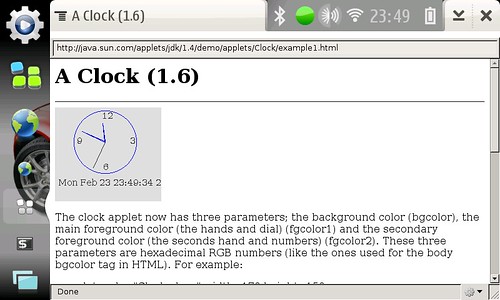
Test the install here:

http://java.sun.com/applets/jdk/1.4/index.html

There currently doesn't seem to be a way to get OpenJava6 to run in Midori. I installed Mozilla Prism to to test Java. It seems to be the lightest-weight Java-capable browser available for the tablet. From within the chroot:

apt-get install prism

Prism running a simple demo Java applet

DBus

Getting maemo / chroot dbus processes to talk is proving to be a challenge...
Maemo doesn't seem to keep the machine id in /var/lib/dbus/machine-id, which is where most dbus-aware apps expect it to be. So far, I've found the following seems to work. In a maemo root terminal (after starting the chroot in /ubuntu) [1]:

dbus-uuidgen --ensure
mount -o bind /var/lib/dbus /ubuntu/var/lib/dbus


This seems to make DBus work; the Mer osso-xterm from maemo will respect the existence of maemo's osso-xterm. The only way to start Mer's osso-xterm is to close maemo's version first.

I've got to make this more permanent. I have to do the mount -o bind command every time I start the chroot (after closechroot or reboot).

Other Problems

The stylus keyboard doesn't work in Midori's web pages, only in the address bar. This is true for any GTK browser. The widgets within the web page are not GTK widgets, so no Hildon Input Method activation. Java doesn't work in Midori, and Prism is a very stripped-down browser, with a very bare interface. Sadly, even installing xulrunner Gnome support doesn't help with making it more stylus friendly. Is there nothing like MicroB out there?

Theme problems: There's got to be a way to get the chroot and maemo sharing theme information and icon info, too. This is certainly a difficult problem. Perhaps the simplest solution is to install the same theme into both maemo and mer.

Dash-vs-Bash: I've gotta figure out a way around this...

Extra apps

Leafpad is my favorite lightweight text editor. It works great in this chroot, because it is completely GTK, so the stylus keyboard and tap-and-hold right-click work fine.

Gnome ALSA mixer
is a nice addition. It is not included in the tarball below, but it is easy to install, and it doesn't pull in a huge number of dependencies.

Future: I want to experiment with Fennec Alpha 2 (+24.3 MB) and Abiword 2.6.6 (+53 MB), and see how they work in this environment. I also would like to try the E17 desktop.

Downloadable rootfs tarball

Here's a tarball of the mer 0.8 chrootfs with all of the above already completed (158 MB).

Updates
25-Feb-09: Here's what I've discovered so far:
  • Fennec doesn't do Flash (even though it sees the plugin, it doesn't actually show the Flash) and it is somewhat unstable. I can't select text; if I drag, it just drags the page. If I double click, it zooms.
  • Abiword works, and it uses Hildon Input Method. It seems to have problems loading files, however, often opening an empty "Untitled" file instead of the chosen document. It also is a bit wobbly; it crashed once on me.
  • I can make the stylus keyboard pop up in most Mer apps (where it doesn't pop up by itself) by pressing the centre d-pad key.
01-Mar-09: Getting themes to work:

I've found a two-step way to get the theme to work in the chroot.
  • Edit /home/user/.gtkrc-2.0 and comment out any theme-related lines. Add the following line:
include "/usr/share/themes/liberty/gtk-2.0/gtkrc"
  • Start the sapwood theme server inside the chroot (as user, not root). I have no idea why it doesn't share the running sapwood server in Maemo; probably Nokia's version is proprietary somehow.
/usr/lib/sapwood/sapwood-server &
If you want to maintain a consistent theme throughout, then you need to install the same theme in OS2008 and the chroot. So far, this seems to be limited to the Titan theme, since the Liberty theme isn't available for OS2008 and Titan is the only third-party OS2008 themes in the Mer repository at the moment.

I will post updates as I discover more.

Labels: , , , , , , , , , , ,

Thursday, February 23, 2006

Making Wealth, Giving It Away

I have just finished reading Paul Graham's "How To Make Wealth," and as his essays often do, it got me thinking. In his essay, he suggests:
A great deal has been written about the causes of the Industrial Revolution. But surely a necessary, if not sufficient, condition was that people who made fortunes be able to enjoy them in peace. One piece of evidence is what happened to countries that tried to return to the old model, like the Soviet Union, and to a lesser extent Britain under the labor governments of the 1960s and early 1970s. Take away the incentive of wealth, and technical innovation grinds to a halt.
Wow, that's quite the conclusion. Take away the incentive of wealth, and innovation grinds to a halt? It just doesn't play out that way, in reality. And Graham acknowledges this to a certain degree:
Wealth can be created without being sold. Scientists, till recently at least, effectively donated the wealth they created. We are all richer for knowing about penicillin, because we're less likely to die from infections. Wealth is whatever people want, and not dying is certainly something we want. Hackers often donate their work by writing open source software that anyone can use for free. I am much the richer for the operating system FreeBSD, which I'm running on the computer I'm using now, and so is Yahoo, which runs it on all their servers.
Somehow, though, the fact that Yahoo (the company that bought his startup, incidentally), is running an operating system that was developed entirely without the incentive of wealth, doesn't connect in Graham's head as a dangerous exception to his rule. In another location, he says:
A programmer can sit down in front of a computer and create wealth. A good piece of software is, in itself, a valuable thing. There is no manufacturing to confuse the issue. Those characters you type are a complete, finished product. If someone sat down and wrote a web browser that didn't suck (a fine idea, by the way), the world would be that much richer. [5b]
Footnote [5b] simply states: "This essay was written before Firefox."

Another dangerous exception. Certainly, there was great innovation in Netscape when it was the little startup that took on Microsoft, but arguably, there has been as much innovation with that browser and its heirs (ie Firefox) since it went open source. In particular, Firefox is the ultimate example of open, community-based innovation that is astonishingly uninterested in the personal accumulation of wealth as an incentive. It was started by an Apple employee and a teenaged Netscape intern, neither of whom had any interest in becoming wealthy from their innovation.

So, what's up with that?

Graham makes several related historical statements in this paragraph (and associated note):
For most of the world's history, if you did somehow accumulate a fortune, the ruler or his henchmen would find a way to steal it. But in medieval Europe something new happened. A new class of merchants and manufacturers began to collect in towns. [10] Together they were able to withstand the local feudal lord. So for the first time in our history, the bullies stopped stealing the nerds' lunch money.
[10] It is probably no accident that the middle class first appeared in northern Italy and the low countries, where there were no strong central governments. These two regions were the richest of their time and became the twin centers from which Renaissance civilization radiated. If they no longer play that role, it is because other places, like the United States, have been truer to the principles they discovered.
My thesis is that in order for a renaissance to occur, it isn't so important that you stop stealing the wealth of the craftsmen, or the "nerds' lunch money," but that you give the nerds somewhere safe to innovate; you protect them from the bullies, but you also support them financially. You don't have to make them millionaires to do this, I think many innovators, despite what Graham suggests, would be happy to produce excellent work without the promise of great wealth. But they need time and space to create without having to worry about food, or clothes, or housing (or, for that matter, where the next round of venture capital is coming from).

I think any society that wishes to thrive needs to encourage wealth creation through patronage. That is, those with the wealth need to sponsor the creation of more wealth, and, in order to produce maximum results, that wealth should be given away.

A good example of how the desire for wealth can actually stifle innovation and even endanger society is the story of the invention of the forceps by Peter Chamberlen around 1600. The Chamberlen family kept the family secret for three generations, more than 100 years, before it was finally leaked to the public. During that time, they became quite wealthy from their reputation as the best doctors to have attending your birth, although the mother had to be blindfolded during the procedure so she wouldn't see how her baby's life was saved. To me this shows how the entrepreneurial spirit can actually work against innovation, and seriously impede the progress of civilization.

The thing that allowed the modern concept of startups to really come into existence must be the concept of patents. Before patents, anything that was not kept a closely-guarded secret was pirated immediately and there was no real way to stop other people from making money from your ideas. If the Chamberlen family could patent the forceps and then be assured that their invention would not be pirated by others, or at least be assured that they could enforce their patents, they would probably have sold forceps and become very rich, as well as benefiting society much more quickly.

But patents seem to me to be a bit of a band-aid, an artificial way to allow someone to make money from an idea, in the same way that a cage allows you to keep a pet bird. The idea and the bird both want to be free, and both thrive more fully in the wild, but the patent and the cage artificially constrain things in such a way that the user can increase their personal wealth.

I won't deny that wealth can be an incentive to innovation, and that inventions and novel ideas, via the mechanism of patents, are legitimate ways to build wealth; however, I firmly believe that a society that relies entirely on this kind of innovation is not healthy and it will start to show symptoms of sickness, like sailors without vitamin C began to get scurvy. Wealth can work as an engine to drive society, but it should never be used exclusively, because it flows uphill, and in a purely capitalistic society, all the money will end up in the hands of a very few people. And, contrary to Graham's assertion, those people are almost never the creators of wealth. They are often the very bullies that steal the nerds' lunch money.

A thriving society needs "free" innovation, innovation not tied to capital, in order to thrive. There needs to be a part of a vibrant culture that redistributes the wealth, not in a communist way, but in an "open source" way. The Renaissance wouldn't have existed without patronage, and Leonardo da Vinci, among others, would probably never have produced much if he had to figure out how to make money from his work.

In the same way, innovation and progress is fostered when wealthy patrons such as AOL (Mozilla and WinAmp) and Mark Shuttleworth (the Freedom Toaster and Ubuntu Linux) spend some of their wealth on innovations that increase the wealth of society as a whole. Without this kind of incentive to innovation, I believe innovation will grind to a halt.

Labels: , , , ,